
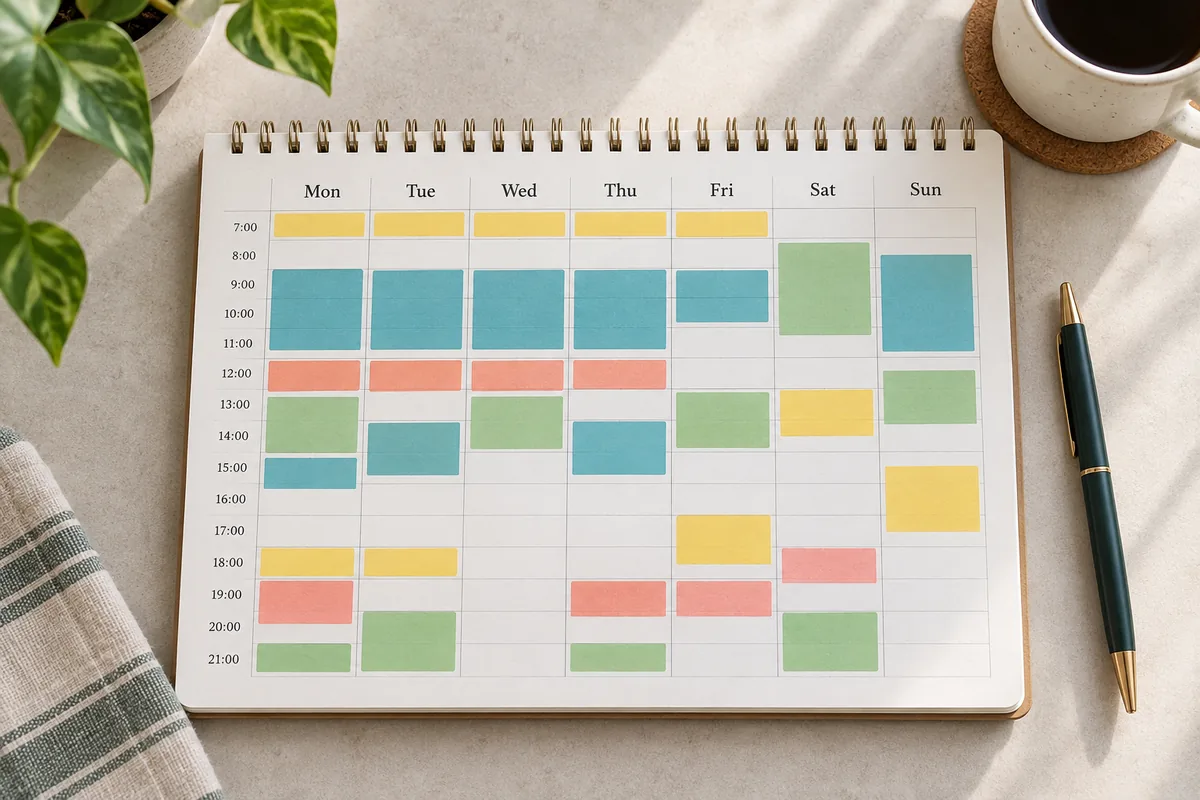
How to Make a Weekly Schedule in 7 Practical Steps
A weekly schedule is a working map, not a promise that every hour will match the plan. Use it to see fixed events, choose priorities, and leave room for change. Paper, a calendar, or a weekly schedule maker can work; the order of decisions matters more than the format. If you are wondering how to make a weekly schedule, use this order to see what fits before filling open time.
Follow the steps in order: define the week, add fixed events, estimate capacity, choose tasks, assign blocks, protect buffers, and review. When plans change, revise the grid instead of treating it as a failed test.
1. Choose what this week needs to make room for
Name one to three outcomes that would make the week useful: finish a lab report, attend class, prepare a presentation, or complete a work deliverable. Give each a clear definition of done and note its deadline. A long task list does not give a schedule direction.
Turn vague work into an action: instead of "study biology," write "review lecture notes and answer practice questions for chapters four and five." Keep optional tasks aside until the core week fits.
- Choose a few weekly outcomes.
- Record each deadline and next action.
- Set optional tasks aside until the core week fits.
2. Add fixed commitments before flexible tasks
Collect classes, shifts, appointments, care, travel, and other events that cannot move. Confirm times in the actual source, such as a school portal or work rota, and record location and duration.
Add these anchors Monday through Sunday. Include travel, setup, or preparation when they affect availability; an event ending at 11:00 may not leave a full hour for focused work at 11:00. Map usable time, not just event labels. This is an important step in learning how to make a weekly schedule that leaves room around fixed events.
- Add start and end times.
- Include travel, setup, and handoffs where needed.
- Check recurring events for holidays and exceptions.
3. Estimate the time you can realistically use
A week contains 168 clock hours, but not all are available for work. Count sleep, meals, care, chores, commuting, and recovery using your recent routine rather than an ideal one.
Estimate flexible capacity as weekly hours minus fixed commitments and protected personal needs. The remainder is not a target to fill: keep reserve for delays and changing energy. If little remains, reduce weekly outcomes before adding blocks.
4. Turn priorities into schedulable blocks
Break outcomes into actions such as finding sources, outlining, drafting, and revising. Estimate each action from past work; for unfamiliar tasks, use a short first block and revise the estimate afterward.
Give each block a verb and result, such as "outline three points for Tuesday presentation." Smaller actions are easier to move or resume than one oversized project block.
- Name the next action, not only the project.
- Use a time range for unfamiliar work.
- Keep overflow work on a separate list.
5. Place flexible work where it is likely to fit
Schedule deadline-driven and demanding work first, at times when you are usually alert and have the needed place or equipment. Put study after class only if your concentration allows; otherwise, use a quieter window and keep post-class time for lighter review.
Group routine tasks when it saves setup, but allow context changes between unrelated work. A fuller grid is not more productive. If two blocks compete for attention or location, move one now.
Match the block to the task
Save longer quiet periods for concentration and use short openings for messages or preparation. Treat these as assumptions and change them when your actual week shows a better pattern.
Make the schedule easy to scan
Use concise titles and consistent categories. Put a room, link, or reminder in notes; keep the grid scannable without a separate planning document.
6. Add transitions, breaks, and recovery time
Add travel, room changes, setup, meals, and breaks where needed. After a long class or demanding meeting, allow a transition before expecting deep focus. Small gaps stop one delay from shifting everything that follows.
Keep open time during the week, not only between tasks. It can absorb a request, a longer assignment, or recovery after a demanding day. If the plan only works when nothing changes, it is packed too tightly.
- Place travel and setup beside the event.
- Use short gaps for transitions, not major tasks.
- Keep a flexible window for changes.
7. Review the schedule and revise it as needed
Before the week starts, scan Monday through Sunday for overlaps, tight transitions, missing preparation, and time for meals or rest. Confirm important events against their source. A visual check cannot account for every commute, time zone, or outside commitment.
During the week, move flexible blocks when anchors change and defer work if capacity shrinks. At the end, note short estimates or interruptions and use them to improve the next weekly schedule.
Common weekly scheduling mistakes to avoid
Empty calendar cells are not automatically available. A full grid can hide the energy, attention, and travel a week requires. Keep reserve time and choose what moves when a new commitment appears.
Avoid vague tasks, unrealistic durations, missing commute time, unverified repeats, and unofficial calendars. For school, work, or teams, confirm final dates in the system used for enrollment, staffing, approvals, or attendance.
- Use labels and conflict checks, not color alone.
- Check recurring events for exceptions.
- Confirm official commitments in their source calendar.
A worked example
A college-week example with anchors and open time
Jordan has three morning classes, two afternoon shifts, and a project due Friday. Fixed events go in first; study and personal tasks fit around them. Open time is intentional, so the plan can absorb travel or work that runs long.
-
Monday
- Fixed anchors
- Lecture, 9:00-10:15
- Flexible blocks
- Study, 13:00-14:30; groceries
- Why this layout helps
- Keeps lunch and travel between class and study.
-
Tuesday
- Fixed anchors
- Work shift, 13:00-17:00
- Flexible blocks
- Project outline, 10:00-11:00; walk
- Why this layout helps
- Places one study block before work.
-
Wednesday
- Fixed anchors
- Lecture, 9:00-10:15; office hour
- Flexible blocks
- Group project, 14:00-15:30
- Why this layout helps
- Connects course questions with an afternoon block.
-
Thursday
- Fixed anchors
- Work shift, 13:00-17:00
- Flexible blocks
- Review notes; personal errands
- Why this layout helps
- Keeps demanding study before the shift.
-
Friday
- Fixed anchors
- Lecture, 9:00-10:15; project due
- Flexible blocks
- Final check; weekly review
- Why this layout helps
- Reserves time to submit and reset.
-
Saturday
- Fixed anchors
- No fixed event
- Flexible blocks
- Laundry; open afternoon
- Why this layout helps
- Pairs a chore with recovery time.
-
Sunday
- Fixed anchors
- No fixed event
- Flexible blocks
- Prepare materials; plan next week
- Why this layout helps
- Makes a light handoff to Monday.
This sample is not a universal timetable. Jordan should confirm the course calendar, commute, work rota, and personal needs, then move any block that does not fit. The method is simple: anchors first, focused tasks second, and open capacity visible.
A short review before you rely on the plan
Scan the whole schedule rather than judging each block alone.
- Confirm event times and locations in their source.
- Check overlaps, travel, and setup time.
- Protect meals, sleep, care, and recovery.
- Choose a flexible task to defer if needed.
- Keep a portable copy when someone else needs the plan.
Weekly schedule planning FAQ
Common questions about planning for classes, work, and personal commitments.
How far ahead should I make a weekly schedule?
Draft next week once class, work, appointment, and family commitments are known. A short review late in the current week is often enough. Leave uncertain events flexible and update them when confirmed.
How many hours should I schedule each day?
There is no universal number. Count fixed events and daily needs, then schedule only work that fits your routine. Keep reserve time for delays, transitions, and recovery.
Should I schedule every hour of the week?
Usually not. Leave space for meals, travel, rest, delays, and unplanned responsibilities. If every hour is assigned, a small change can disrupt the whole plan.
How can students make a weekly schedule for college?
Start with confirmed classes, labs, work, commuting, and recurring responsibilities. Add study blocks near the courses they support, while leaving room for meals, campus travel, group work, and changing deadlines. Check the official course system for final dates.
Put the method into practice
Build a week you can revise
Start with the most important commitment, add only work that fits your capacity, and keep open time visible. A useful draft can change when the week does.
Open the weekly schedule maker