
Choose a schedule template by the shape of your week
A useful schedule template makes the decisions you need to see easy to compare. Before choosing a color or page size, write down the week’s fixed events, the people who need to read the plan, and how often the pattern repeats. A student coordinating classes and study blocks needs a different view from a manager sharing coverage or a remote worker protecting focus time.
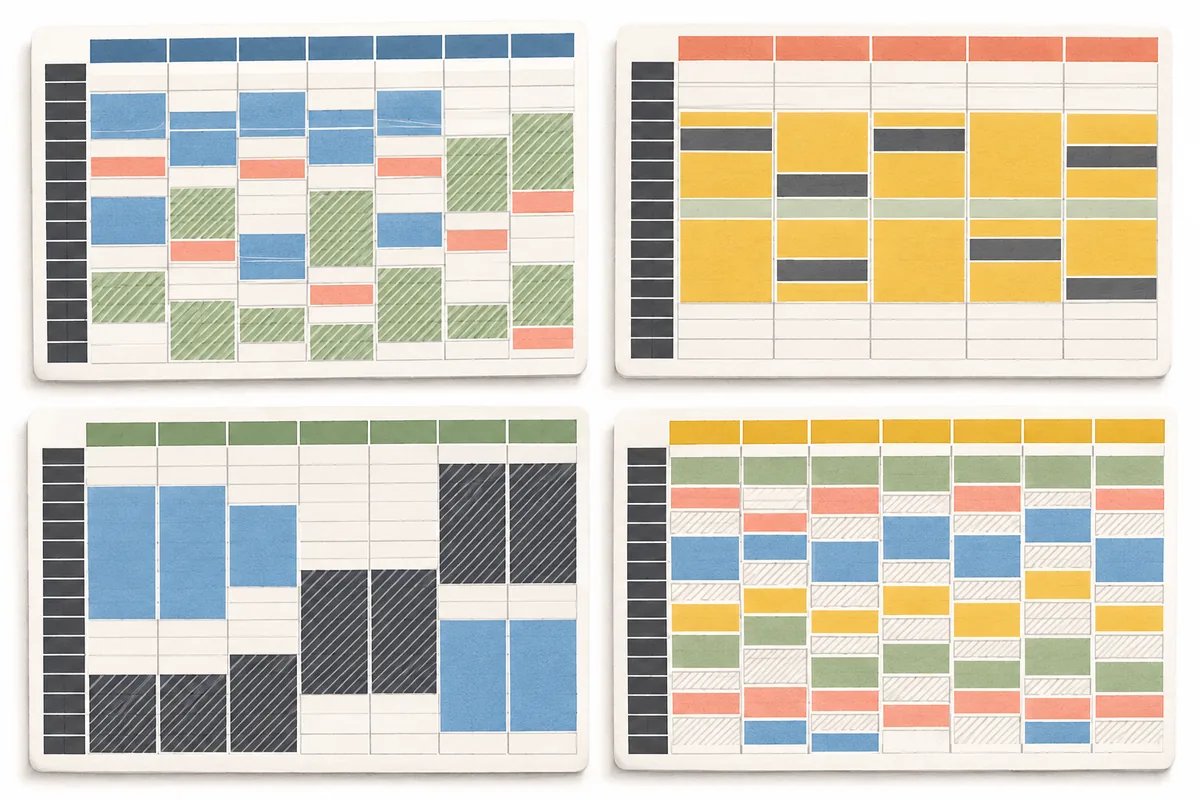
Compare schedule templates by the week you need to organize. Use a weekly grid when the same days matter each week, a shift rota when work crosses nights or weekends, and a time-block plan when the main question is how much room remains between commitments. A blank schedule template is helpful when your routine is unusual; a filled example is faster when its assumptions already resemble yours.
- List the days to include: weekdays, six days, or the full week.
- Choose a time scale fine enough to plan, but not so fine that the grid becomes noisy.
- Decide whether the reader needs course details, shift handoffs, tasks, or just availability.
Compare schedule templates for four common weekly patterns
These templates are starting structures, not universal routines. The examples below use ordinary commitments to show what belongs in each layout. Replace the sample times with your real calendar, contract, course schedule, or care responsibilities before relying on it.
These schedule templates can cover Monday through Friday or all seven days. Choose the week boundary that matches the people using it; a Sunday-start and a Monday-start grid show the same events but can change how a weekend rota or class week reads.
| Template | Useful when | Keep visible |
|---|---|---|
| Class schedule | Courses meet at fixed times and study must fit around them. | Course, location, travel, and preparation. |
| 9-to-5 work week | Office or remote work follows a mostly stable weekday rhythm. | Meetings, focus blocks, lunch, and shutdown time. |
| Rotating shift rota | Start times or workdays change between weeks. | Shift date, handoff, overnight hours, and recovery. |
| Time-block plan | You need a broad view of priorities and open capacity. | Fixed anchors, flexible work, breaks, and unscheduled space. |
Set the days, start time, and interval before filling cells
Choose a five-day, six-day, or seven-day schedule based on the actual cycle. Include Sunday when weekend duties, family routines, or recovery days affect the plan. For school, use the institution’s week boundary. If the schedule alternates by week, label each week clearly instead of squeezing two patterns into one hard-to-read grid.
Hourly schedule templates work well for shifts, appointments, and time-specific tasks. Half-hour rows can help when classes or handoffs are close together, but they add visual weight. A block schedule template with morning, midday, and evening bands is easier to scan when exact start times are not yet known. Keep the interval consistent unless a meaningful event needs extra detail.
- Set a realistic visible day range; do not make every template begin at midnight by default.
- Add commute, setup, handoff, or preparation as time, not as invisible notes.
- Use a clear marker for overnight work that ends on the following calendar day.
Adapt a schedule template before you share or repeat it
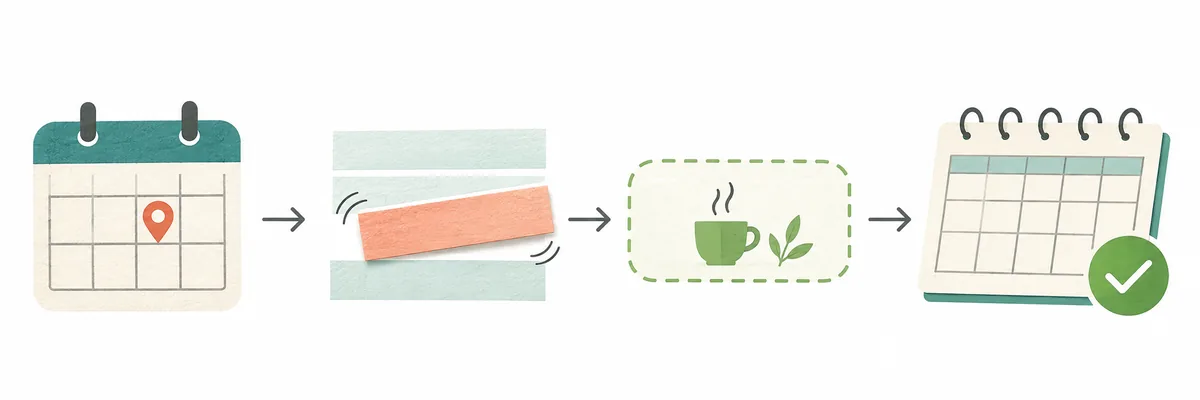
Start with commitments confirmed by their source: a current course timetable, published work rota, appointment, or agreed handoff. Add the time needed to reach the location or prepare. Then place flexible tasks in blocks that have a clear outcome, such as reviewing one lecture or completing a draft, instead of a broad label like “be productive.”
For a recurring schedule, note the date it was last checked and identify exceptions separately. Holidays, exam weeks, swaps, and seasonal hours can make a repeating template wrong even when its normal pattern is accurate. Keep a copy of the base layout, then update the working week so the reusable template does not silently become a record of one unusual week.
Keep the schedule readable when plans change
Color can help distinguish categories, but it should not carry meaning by itself. Add short labels such as “class,” “shift,” or “focus,” and use enough contrast to read the text in print and on a phone. Keep a small legend if several colors are necessary. Avoid assigning a different shade to every task; too many categories make the pattern harder to scan.
Leave some capacity unassigned. A template with every minute reserved can look complete while failing at the first delay. Buffers are useful around travel, handoffs, meals, and work that often runs long. If the week changes, move the affected block and review what else depends on it instead of copying the original plan as if it were still current.
Use a static schedule template or an editable planner?
A printable or spreadsheet schedule template is convenient when you want a stable copy, need to write by hand, or already work in a shared spreadsheet. A paper version can stay visible in a common space; a spreadsheet can support formulas, comments, and copies for different weeks. Check the file’s date and version before reusing it, especially when several people maintain the same plan.
An editable weekly planner is more useful when events move, overlap needs attention, or you want to revise the plan without redrawing the grid. You can use the site’s weekly schedule maker to create a personal draft online, or start a class schedule with course-specific details. The online builder is a separate editing step; this article’s examples are not connected to your calendar and do not sync changes automatically.
Four starting points
Schedule templates: four examples to adapt
These schedule templates show a pattern, not a recommended number of work or study hours. Confirm the real commitments first, then adjust the open blocks to suit your own week.
-
Class schedule template
- Best fit
- A student with recurring lectures and labs.
- Starting layout
- Mon/Wed 09:00 lecture; Tue/Thu 10:00 lab; list room and travel.
- Change first
- Add course, room, travel, and assignment deadlines.
- Watch for
- A free period may be too short for focused study.
-
9-to-5 work schedule template
- Best fit
- A mostly stable office or remote work week.
- Starting layout
- Mon-Fri 09:00 focus; 11:00 meetings; 12:30 lunch; 14:00 project.
- Change first
- Move meetings first, then protect realistic focus blocks.
- Watch for
- Work hours are not all equally flexible.
-
Shift schedule template
- Best fit
- A rota with evening, overnight, or weekend work.
- Starting layout
- Week A: Mon 07:00-15:00; Tue 15:00-23:00; Wed recovery.
- Change first
- Show handoffs, overnight end dates, and recovery days.
- Watch for
- Check holidays, swaps, and recovery days.
-
Time-block schedule template
- Best fit
- Someone planning priorities across a flexible week.
- Starting layout
- Mon 08:00 focus; 11:00 admin; 13:00 flexible work; 16:00 review.
- Change first
- Add fixed anchors, then one outcome to each flexible block.
- Watch for
- Keep breaks and open time visible.
A schedule template becomes useful when a reader can tell what is fixed, what can move, and which details still need confirmation. Keep those distinctions in the labels as well as in the time blocks.
A five-step check before using the template
Use this quick review when you copy a layout for a new term, project, or rota cycle.
- Confirm the dates, week start, and source of each fixed event.
- Add travel, setup, handoffs, meals, and any essential recovery time.
- Check that the time interval is readable for the most detailed event.
- Mark uncertain commitments and avoid presenting them as confirmed.
- Share a dated copy and choose one person or place that owns updates.
Schedule template questions
These answers explain how to select and adapt a weekly layout without assuming that one routine fits every reader.
What should a weekly schedule template include?
For useful schedule templates, include the days and time range that matter, fixed events, the details needed to identify each event, and enough open space to show availability. Add travel, preparation, handoffs, or recovery when those affect whether the next block is realistic. Keep deadlines and task notes separate from exact appointments when they do not have a confirmed time.
Should I use an hourly or half-hour schedule template?
Use hourly rows when events are broad or exact timing is flexible. Half-hour rows help when classes, appointments, or shift handoffs start close together, but a denser grid takes longer to scan. Pick the coarsest interval that still answers the question your schedule needs to answer.
Can I use one template for school and work?
A shared weekly grid can show both, but label categories clearly and include the details each needs. Class plans may need course and room information; work schedules may need role, location, and handoff notes. If the combined page is crowded, keep separate views that use the same week dates.
How do I make a rotating shift schedule template?
Label the date as well as the weekday, show the start and end times, and mark overnight shifts that finish the next day. Keep handoffs and recovery days visible. Treat the pattern as provisional until the current rota is confirmed, since holiday coverage and swaps can change a repeating week.
What is the difference between a schedule and a time-block template?
A schedule usually names events at specific times, while time blocking reserves broader periods for a type of work or priority. Use exact schedule rows for classes, appointments, and shifts. Use broader blocks for flexible tasks whose precise start can move.
Are these schedule templates connected to my calendar?
No. The examples on this page are static editorial samples and do not read, import, or update a personal calendar. If you need to create or revise an interactive plan, use the online schedule builder and verify each event against its original source.
Make it yours
Build from a layout, then plan the real week
Choose a pattern that matches your commitments, leave room for changes, and adjust the example with confirmed times. When you are ready to edit blocks in a weekly grid, open the schedule maker.
Open the weekly schedule maker